

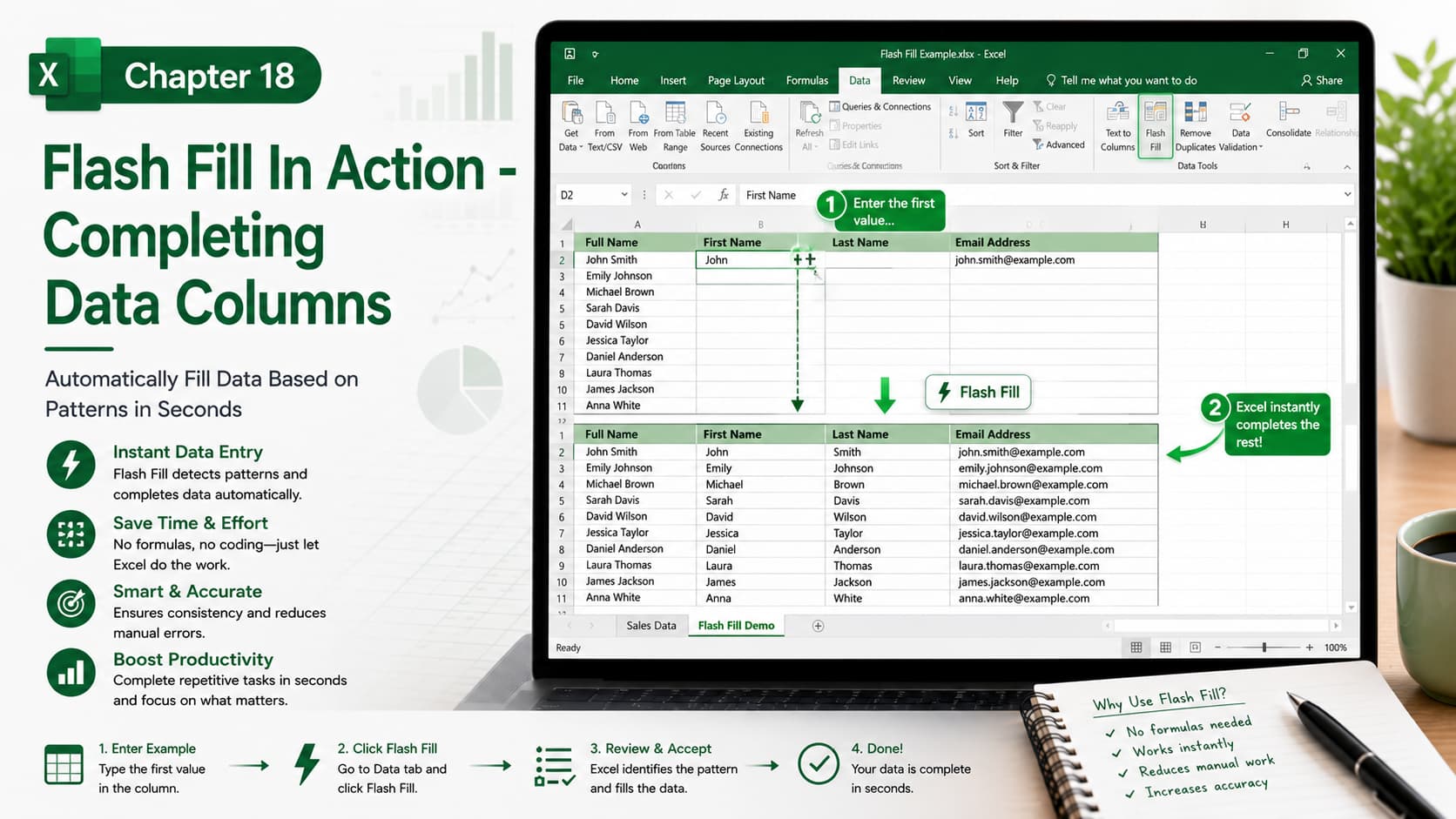
Chapter 18: Flash Fill in Action – Completing Data Columns
Chapter Description
In this chapter, you’ll learn how to use Flash Fill, one of Microsoft Excel’s smartest productivity features. Flash Fill automatically recognizes patterns in your data and fills the remaining cells for you—without requiring formulas or complex functions.
Whether you’re splitting full names, combining text, formatting phone numbers, extracting email usernames, or cleaning inconsistent data, Flash Fill can complete repetitive tasks in seconds. This feature is perfect for improving data accuracy while saving valuable time.
What You’ll Learn
-
Understanding how Flash Fill works
-
Automatically completing data columns
-
Extracting first names, last names, and initials
-
Combining text from multiple columns
-
Formatting phone numbers and dates
-
Cleaning and standardizing text data
-
Using the Ctrl + E keyboard shortcut for Flash Fill
-
Best practices and limitations of Flash Fill
Learning Outcome
By the end of this chapter, you’ll be able to use Flash Fill to automate repetitive data entry and formatting tasks. You’ll confidently recognize patterns, transform data without formulas, and significantly improve your productivity when working with Excel spreadsheets.

