

Chapter 34: Use Watch to Keep an Eye on a Cell Value
Chapter Description
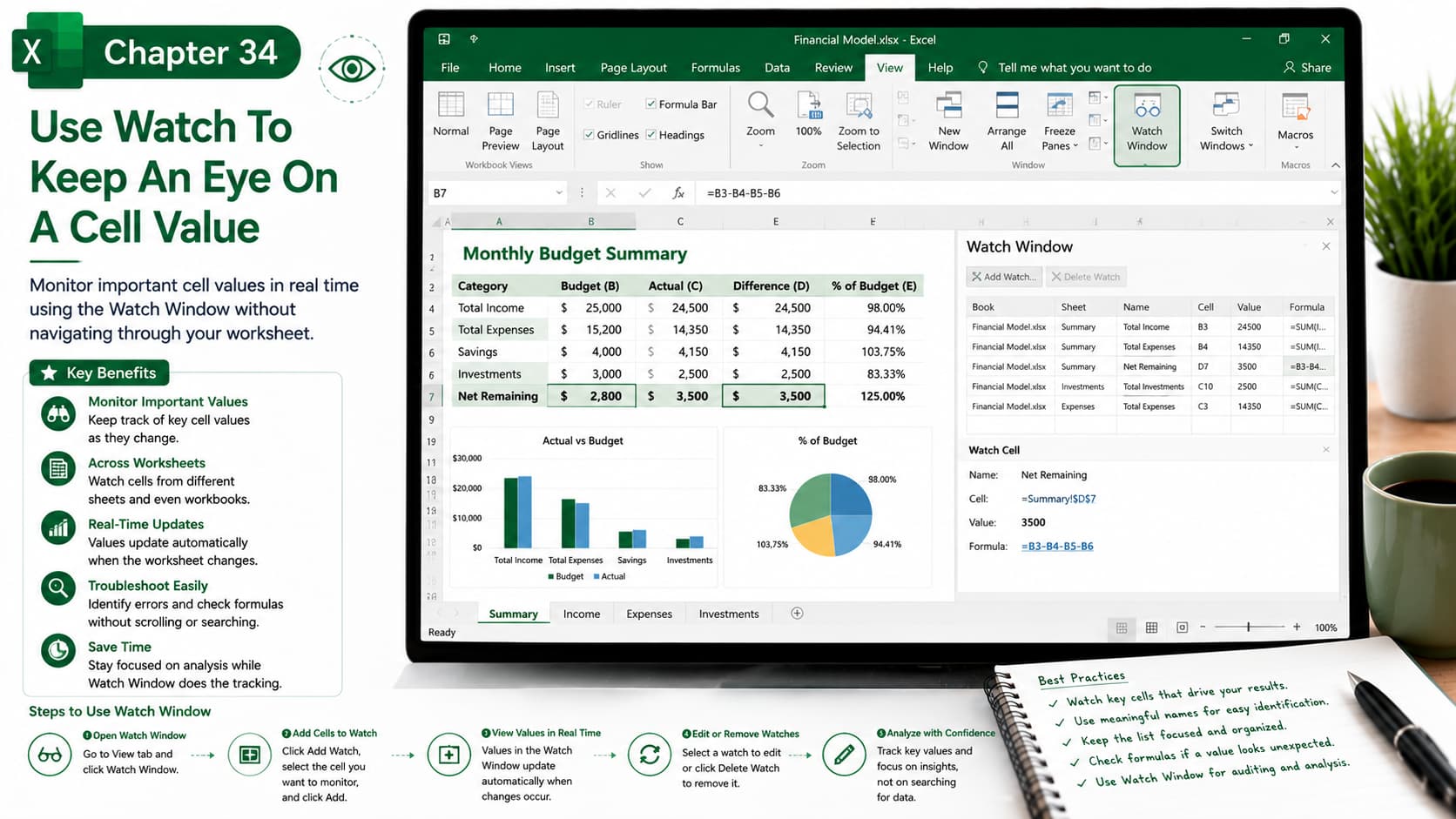
In this chapter, you’ll learn how to use the Watch Window in Microsoft Excel to monitor important cell values without constantly navigating through large worksheets. The Watch Window allows you to track key cells—even if they are located on different worksheets or in different workbooks—making it easier to analyze formulas, troubleshoot calculations, and monitor critical data in real time.
This feature is especially useful for financial models, budgets, dashboards, and complex spreadsheets where important values change frequently.
What You’ll Learn
- Understanding the Excel Watch Window
- Adding cells to the Watch Window
- Monitoring important values across worksheets
- Tracking formula results in real time
- Editing and removing watched cells
- Troubleshooting complex calculations
- Using the Watch Window in large workbooks
- Best practices for efficient workbook monitoring
Learning Outcome
By the end of this chapter, you’ll be able to use the Watch Window to monitor important cell values without switching between worksheets. You’ll confidently track key calculations, identify changes instantly, improve formula auditing, and manage complex Excel workbooks more efficiently.

