

Chapter 38: Absolute Cell Referencing Explained
Chapter Description
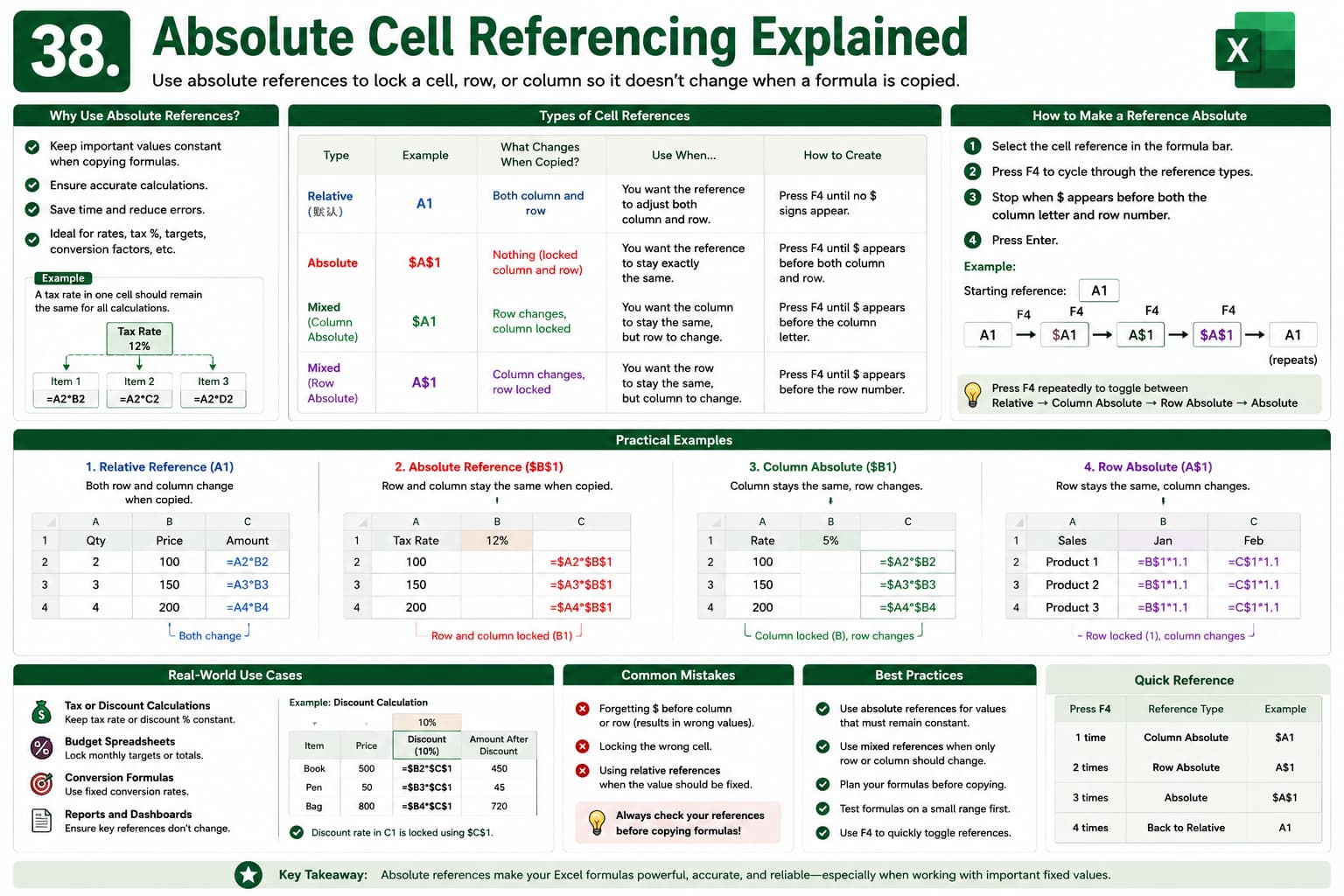
In this chapter, you’ll learn how Absolute Cell Referencing works in Microsoft Excel and why it is essential when copying formulas. By using the $ (dollar) symbol, you can lock rows, columns, or both, ensuring that formulas always refer to the correct cells.
You’ll also understand the differences between relative, absolute, and mixed references through practical examples.
What You’ll Learn
- Understanding cell references in Excel
- Relative vs. Absolute references
- Using the $ symbol
- Creating mixed references
- Copying formulas accurately
- Practical examples with formulas
- Common mistakes and solutions
- Best practices for formula creation
Learning Outcome
By the end of this chapter, you’ll be able to confidently use absolute and mixed references, making your formulas more accurate, flexible, and reliable in any Excel worksheet.

