

Chapter 65: Dragging and Dropping Cells
Chapter Description
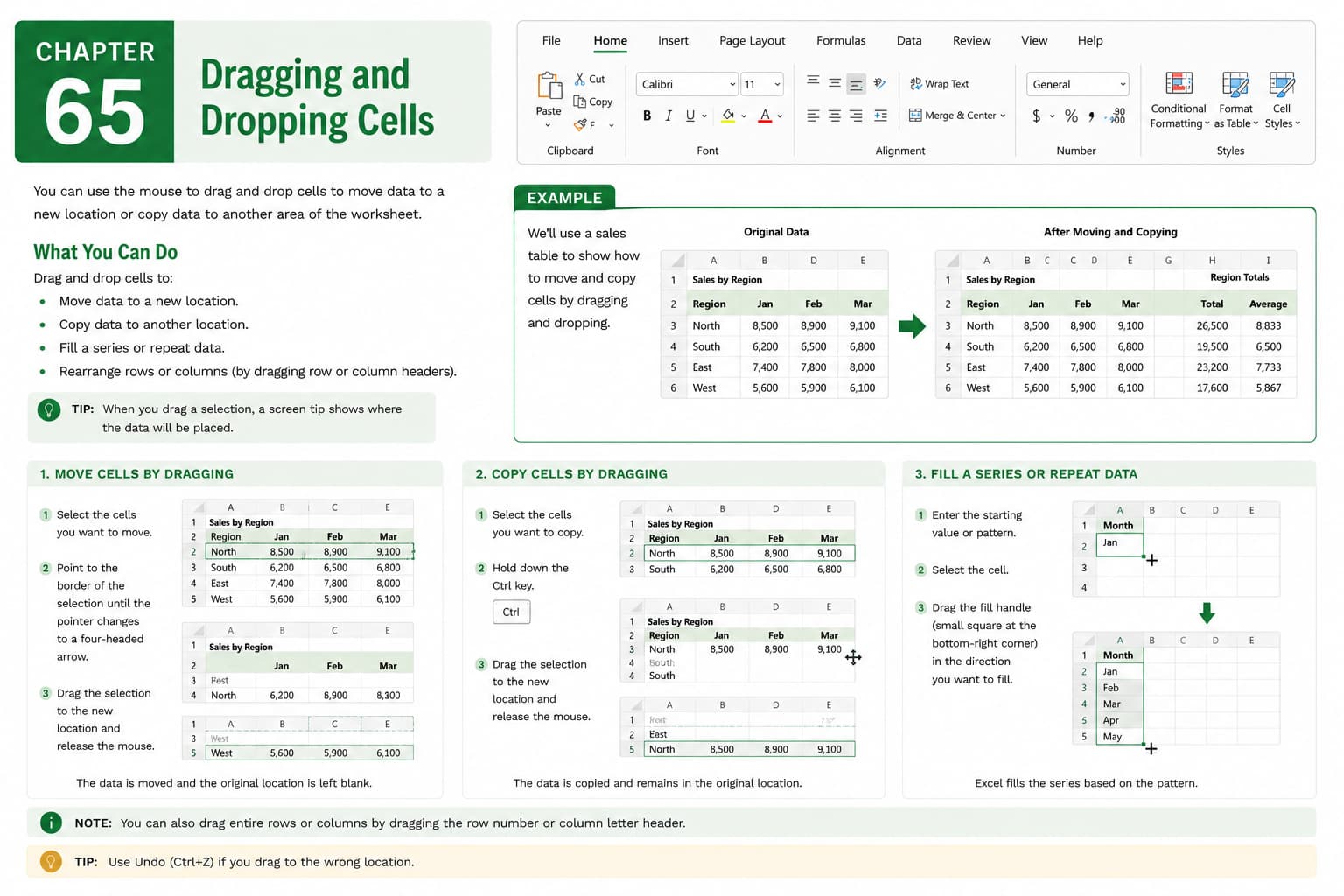
In this chapter, you’ll learn how to use the Drag and Drop feature in Microsoft Excel to quickly move or copy cells, ranges, rows, and columns within a worksheet. This simple yet powerful technique helps you reorganize data efficiently without using the Cut, Copy, and Paste commands.
You’ll explore how to drag and move data, copy data using drag-and-drop with keyboard shortcuts, rearrange rows and columns, and avoid overwriting existing information. You’ll also learn how to enable or disable the Drag and Drop feature and apply best practices for working with large datasets.
This lesson is especially useful for reorganizing tables, updating reports, managing lists, restructuring worksheets, and improving productivity during everyday spreadsheet tasks.
What You’ll Learn
- Understanding the Drag and Drop feature in Microsoft Excel
- Moving cells and ranges using drag and drop
- Copying cells by dragging with keyboard shortcuts
- Rearranging rows and columns
- Preventing accidental overwriting of data
- Enabling or disabling Drag and Drop
- Using Drag and Drop efficiently with large datasets
- Best practices for moving and organizing worksheet data
Learning Outcome
By the end of this chapter, you’ll be able to confidently use the Drag and Drop feature in Microsoft Excel to move, copy, and reorganize worksheet data quickly and accurately. You’ll improve your workflow, reduce repetitive editing tasks, and manage spreadsheets more efficiently.

