

Chapter 66: Editing Cell Contents
Chapter Description
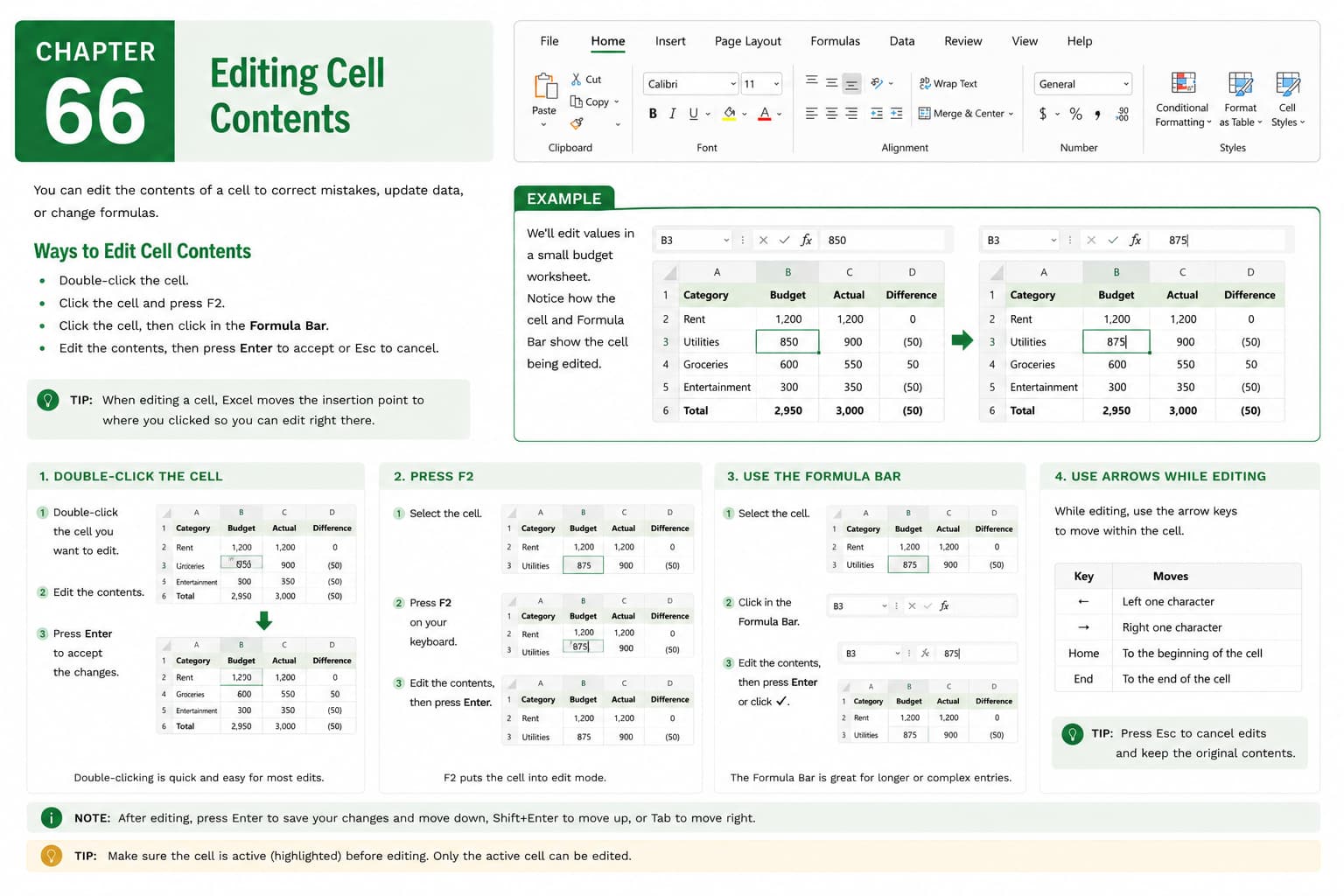
In this chapter, you’ll learn how to edit cell contents in Microsoft Excel to update, correct, and refine the data in your worksheets. Whether you’re modifying text, numbers, dates, or formulas, knowing how to edit cell contents efficiently is essential for maintaining accurate and up-to-date spreadsheets.
You’ll explore different methods for editing data directly in a cell or through the Formula Bar, replacing existing content, inserting or deleting specific characters, and using keyboard shortcuts to speed up the editing process. You’ll also learn how to undo and redo changes and avoid common editing mistakes.
This lesson is especially useful for updating financial records, correcting data entry errors, revising reports, modifying formulas, and maintaining business or personal spreadsheets.
What You’ll Learn
- Understanding cell editing in Microsoft Excel
- Editing data directly in a worksheet cell
- Using the Formula Bar to edit cell contents
- Replacing, inserting, and deleting cell content
- Editing text, numbers, dates, and formulas
- Using keyboard shortcuts for faster editing
- Undoing and redoing changes
- Best practices for accurate data editing
Learning Outcome
By the end of this chapter, you’ll be able to confidently edit cell contents in Microsoft Excel, ensuring your worksheets remain accurate, organized, and up to date. You’ll improve your efficiency when correcting data, updating formulas, and maintaining professional-quality spreadsheets.

