

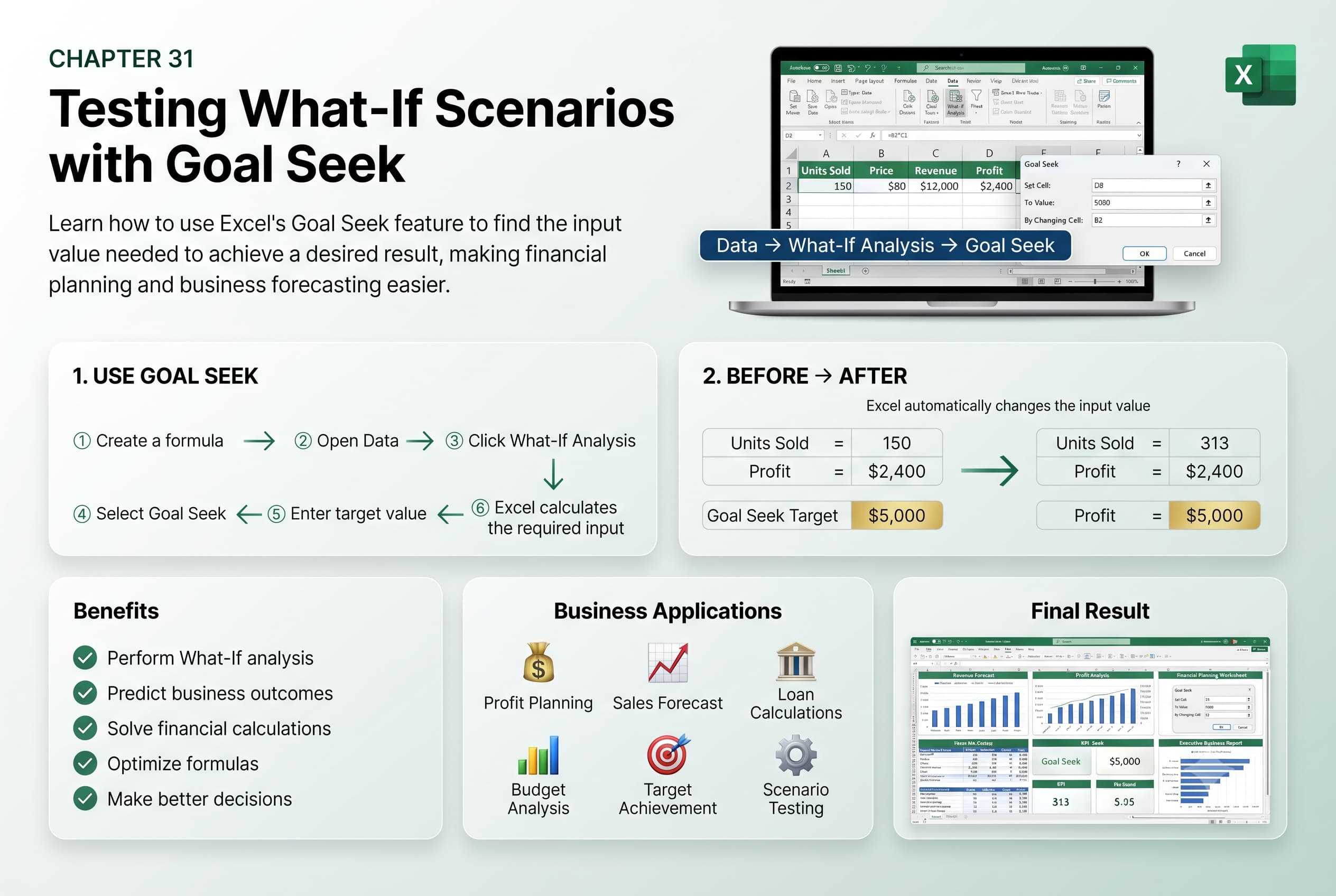
Chapter 31: Testing What-If Scenarios with Goal Seek
Chapter Description
In this chapter, you’ll learn how to use Goal Seek in Microsoft Excel to perform What-If Analysis and determine the input value needed to achieve a specific result. Goal Seek is a powerful forecasting tool that automatically adjusts one variable in a formula to reach a desired outcome, eliminating the need for trial-and-error calculations.
You’ll explore how to set up formulas for Goal Seek, specify target values, identify the changing cell, and interpret the results. You’ll also learn how Goal Seek can be applied to solve real-world business and financial problems, such as calculating required sales, determining loan payments, setting profit targets, and budgeting.
This lesson is especially useful for financial planning, budgeting, loan analysis, break-even calculations, sales forecasting, investment analysis, and business decision-making.
What You’ll Learn
- Understanding What-If Analysis in Microsoft Excel
- Using the Goal Seek feature to find desired results
- Setting target values and changing cells
- Preparing formulas for Goal Seek analysis
- Solving financial and business problems with Goal Seek
- Interpreting Goal Seek results
- Understanding the limitations of Goal Seek
- Best practices for performing accurate What-If Analysis
Learning Outcome
By the end of this chapter, you’ll be able to confidently use Goal Seek in Microsoft Excel to perform What-If Analysis and determine the input values required to achieve specific outcomes. You’ll make better data-driven decisions, solve complex business problems efficiently, and improve your financial and operational planning skills.

