

Chapter 51: Converting Data to a Table for Better Formatting
Chapter Description
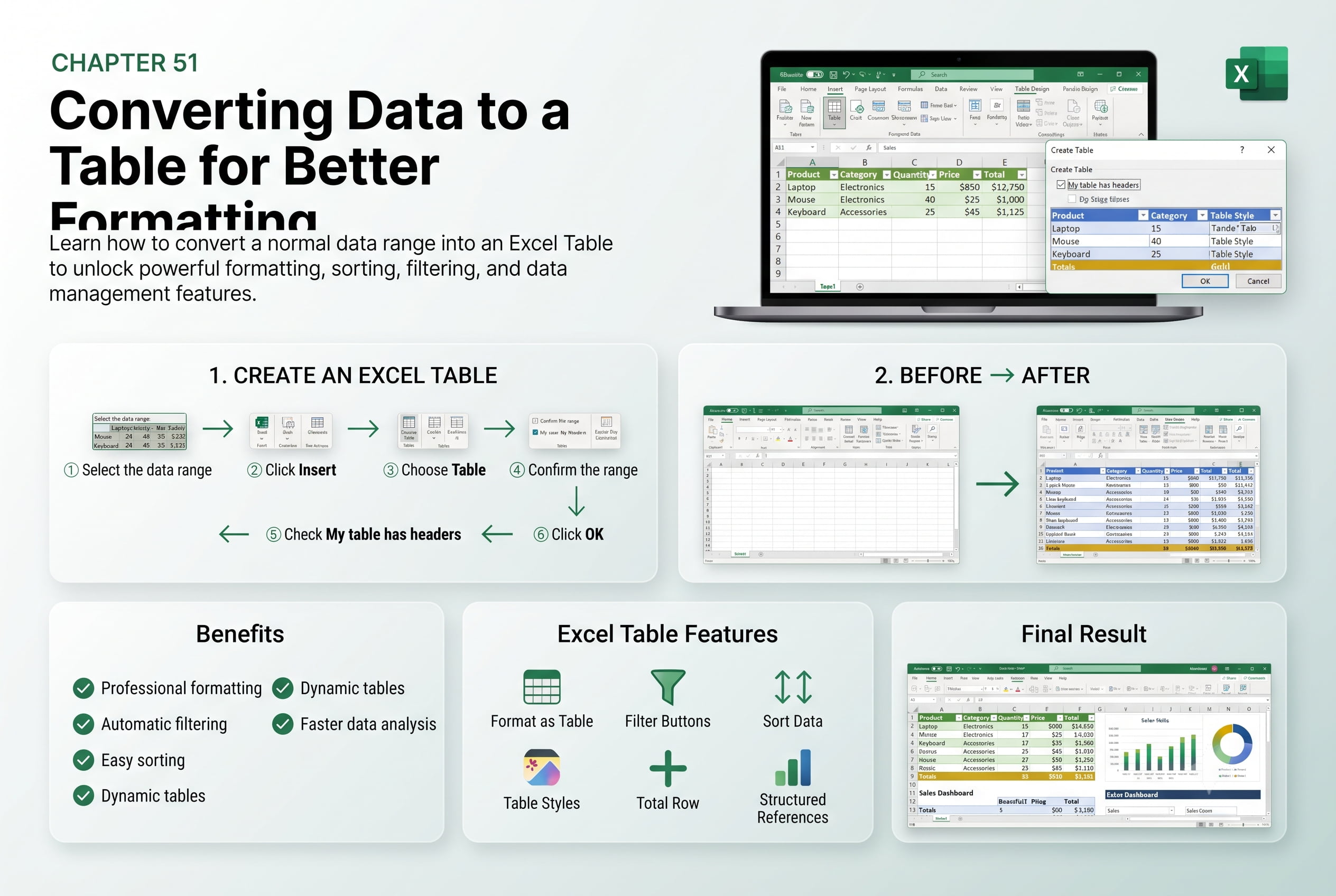
In this chapter, you’ll learn how to convert a range of data into an Excel Table to improve formatting, organization, and data management. Excel Tables provide built-in features such as automatic formatting, filtering, sorting, structured references, and dynamic expansion, making it easier to work with large datasets and maintain consistency across your worksheets.
You’ll explore how to create a table from existing data, apply and customize table styles, add or remove table elements, use structured references in formulas, and convert a table back to a normal range when needed. You’ll also learn how Excel Tables simplify data analysis and improve worksheet functionality.
This lesson is especially useful for managing customer databases, sales records, inventory lists, financial reports, employee information, project trackers, and business dashboards.
What You’ll Learn
- Understanding Excel Tables and their benefits
- Converting a data range into an Excel Table
- Applying and customizing table styles
- Using sorting and filtering within tables
- Working with structured references in formulas
- Adding and removing rows and columns in a table
- Converting an Excel Table back to a normal range
- Best practices for organizing and formatting data with Excel Tables
Learning Outcome
By the end of this chapter, you’ll be able to confidently convert data into an Excel Table, apply professional formatting, and take advantage of powerful table features for organizing, analyzing, and managing data efficiently. You’ll create dynamic, easy-to-maintain worksheets that support accurate reporting and streamlined data management.

