

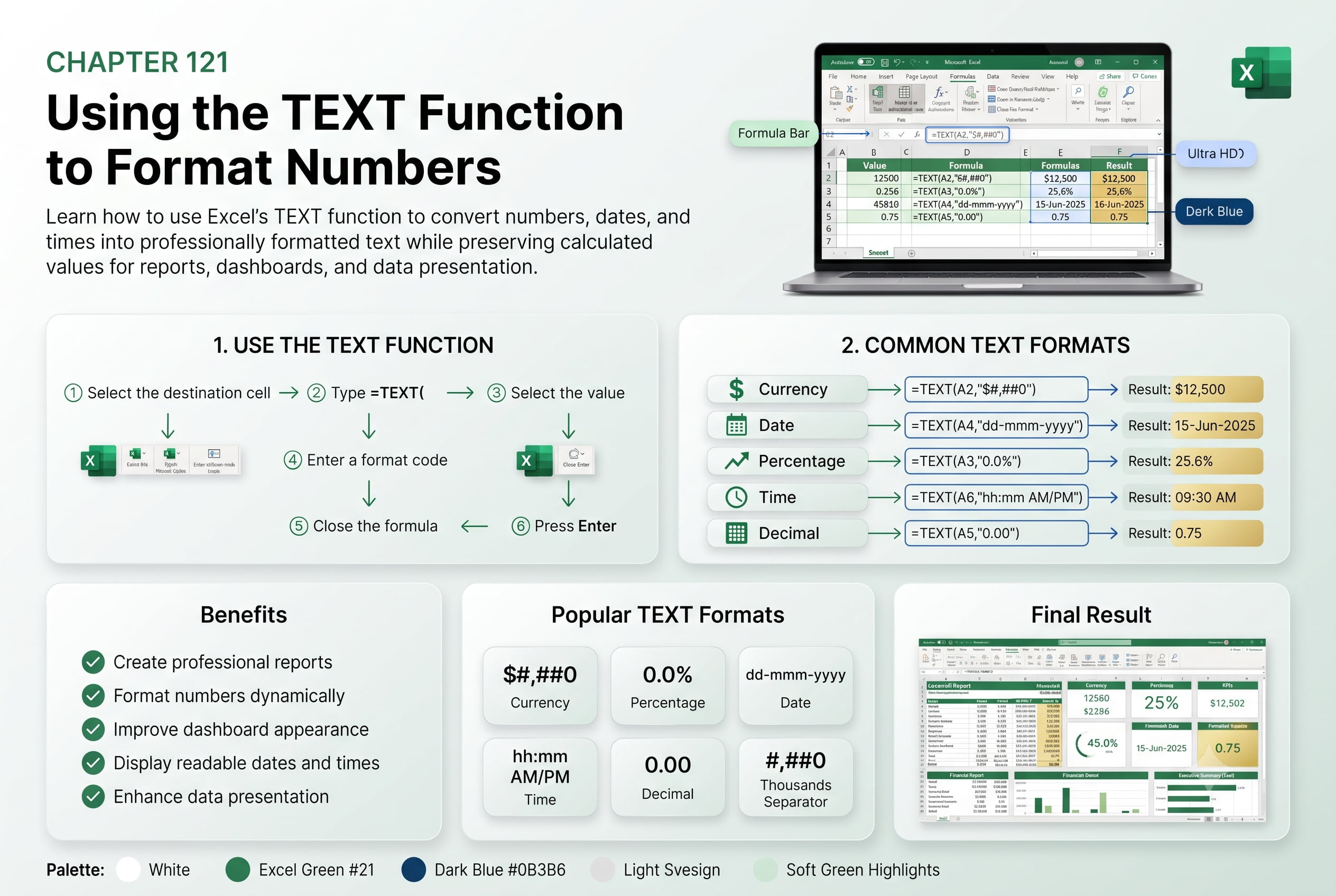
Chapter 121: Using the TEXT Function to Format Numbers
Chapter Description
In this chapter, you’ll learn how to use Excel’s TEXT function to format numbers, dates, times, currencies, and percentages without changing the original values. The TEXT function is useful when combining formatted numbers with text or creating customized reports.
You’ll explore different formatting codes and practical examples for presenting data professionally.
This lesson is especially useful for invoices, dashboards, financial reports, employee records, and automated reporting systems.
What You’ll Learn
- Understanding the TEXT function
- Formatting dates and times
- Formatting currencies and percentages
- Applying custom number formats
- Combining formatted values with text
- Common formatting codes
- Best practices for using TEXT
Learning Outcome
By the end of this chapter, you’ll be able to confidently format numbers and dates using the TEXT function, making your Excel reports more professional and easier to understand.

