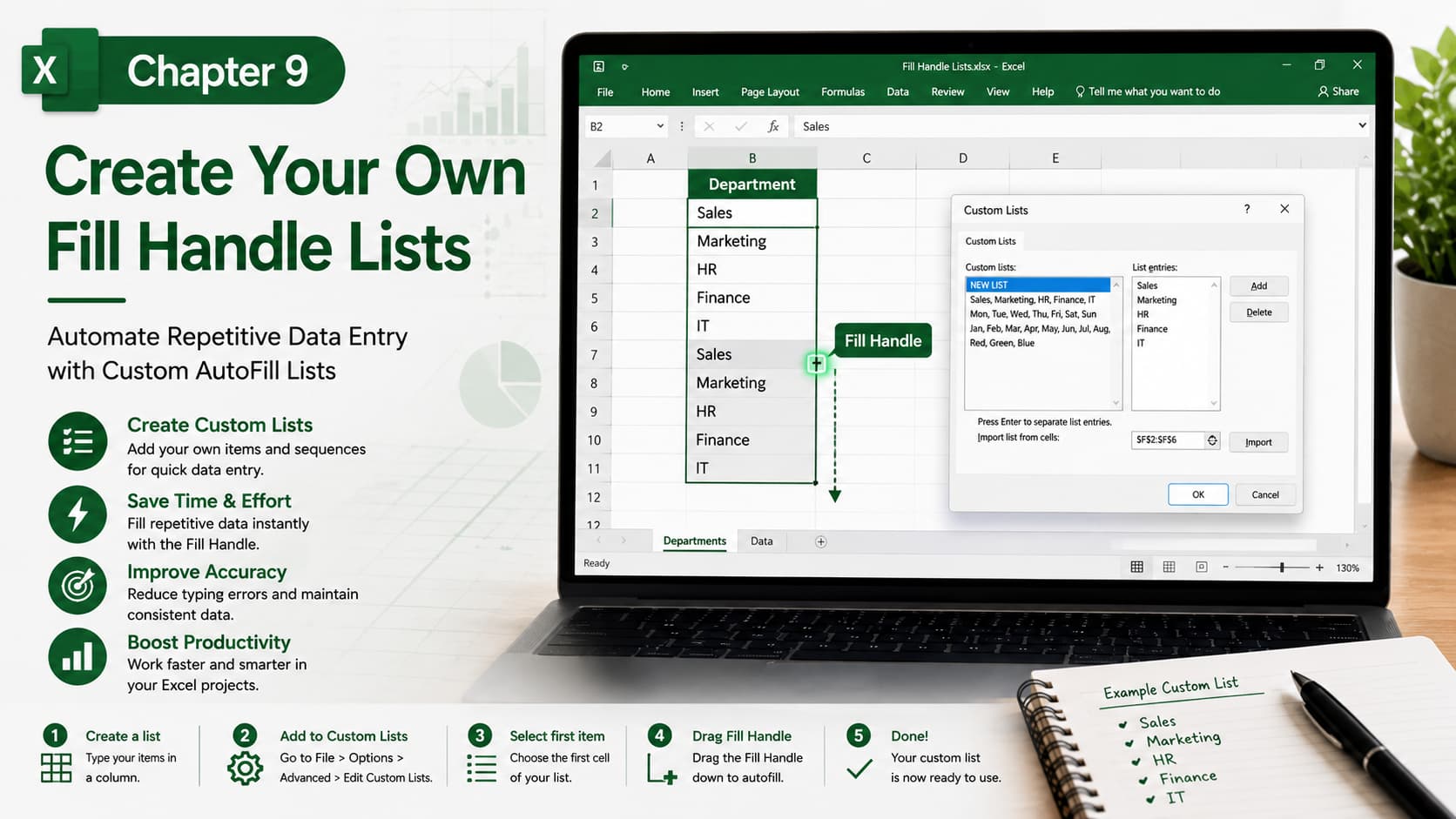
Chapter 9: Create Your Own Fill Handle Lists
Chapter Description
In this chapter, you’ll learn how to create and use custom Fill Handle lists in Microsoft Excel. Custom lists allow you to automatically fill repetitive data such as department names, employee IDs, product categories, locations, or any sequence you use regularly. Instead of typing the same information repeatedly, Excel can populate your custom lists instantly with a simple drag of the Fill Handle.
This feature is a powerful time-saving tool that improves consistency and accuracy when working with recurring data.
What You’ll Learn
- Understanding the Excel Fill Handle
- Creating custom AutoFill lists
- Importing lists from existing worksheet data
- Editing and deleting custom lists
- Using custom lists for faster data entry
- Applying Fill Handle to business and personal data
- Best practices for efficient AutoFill usage
Learning Outcome
By the end of this chapter, you’ll be able to create and manage your own custom Fill Handle lists, allowing you to automate repetitive data entry, increase productivity, and maintain consistency across your Excel workbooks. This skill will help you work faster and more efficiently in both personal and professional projects.

