Chapter 49: Clearing Cell Contents vs. Clearing Cell Formatting in Microsoft Excel
Chapter Description
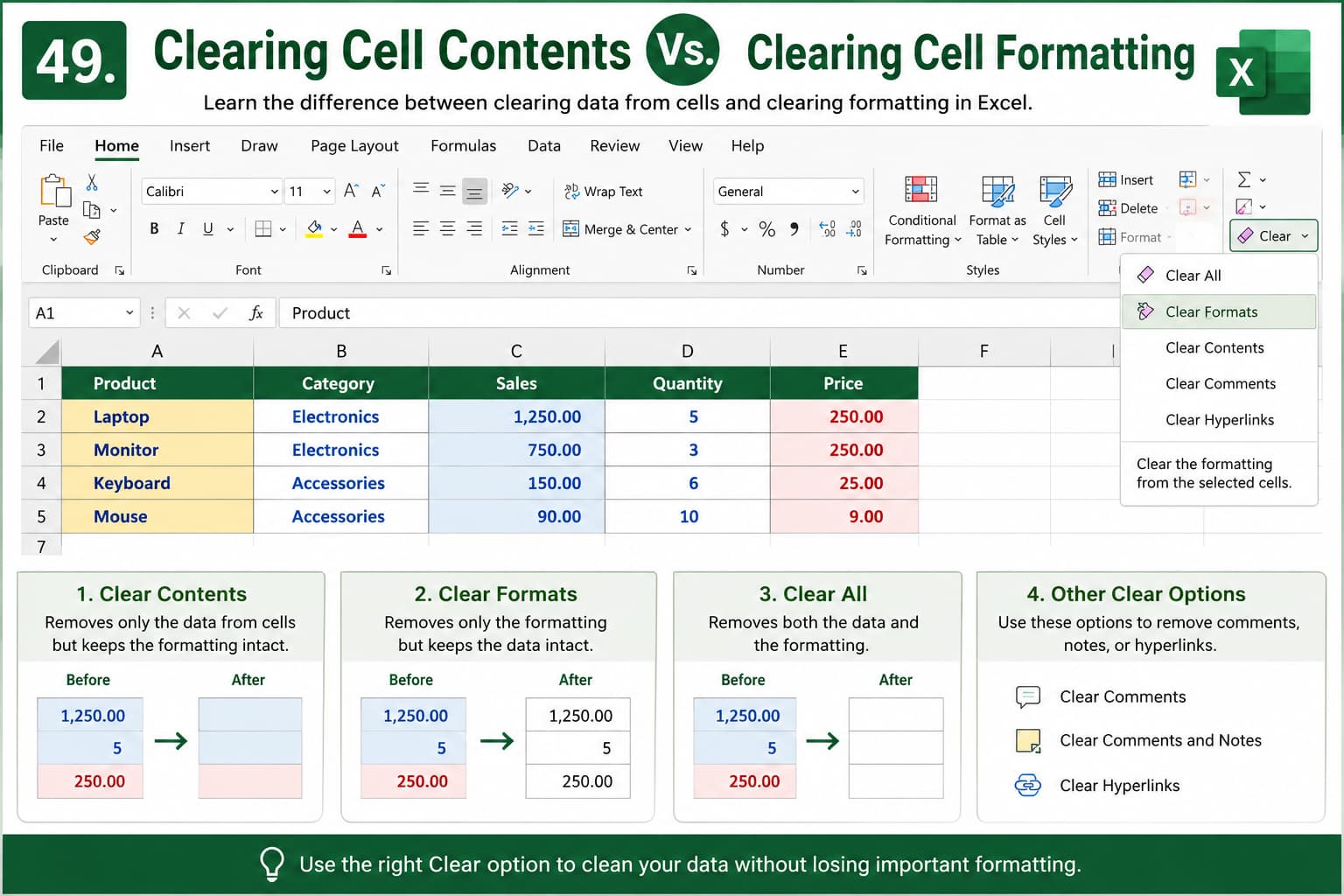
In this chapter, you’ll learn the difference between clearing cell contents and clearing cell formatting in Microsoft Excel. Understanding when to remove data, formatting, comments, hyperlinks, or everything from a cell is essential for maintaining clean, organized, and professional spreadsheets.
You’ll explore Excel’s Clear options and discover how each one affects your worksheet. This knowledge will help you clean up data without accidentally removing important formatting or deleting valuable information.
This lesson is especially useful for anyone working with reports, templates, financial spreadsheets, or large datasets that require regular updates and formatting consistency.
What You’ll Learn
-
Understanding the difference between cell contents and cell formatting
-
Clearing cell contents without removing formatting
-
Clearing cell formatting while keeping data intact
-
Using the Clear menu in Microsoft Excel
-
Removing comments, notes, and hyperlinks
-
Clearing all cell data and formatting
-
Avoiding common mistakes when cleaning worksheets
-
Best practices for maintaining organized Excel spreadsheets
Learning Outcome
By the end of this chapter, you’ll be able to confidently use Excel’s Clear options to remove cell contents, formatting, comments, and other elements as needed. You’ll understand the impact of each clearing method, maintain consistent worksheet formatting, and efficiently prepare spreadsheets for reuse or further analysis.

