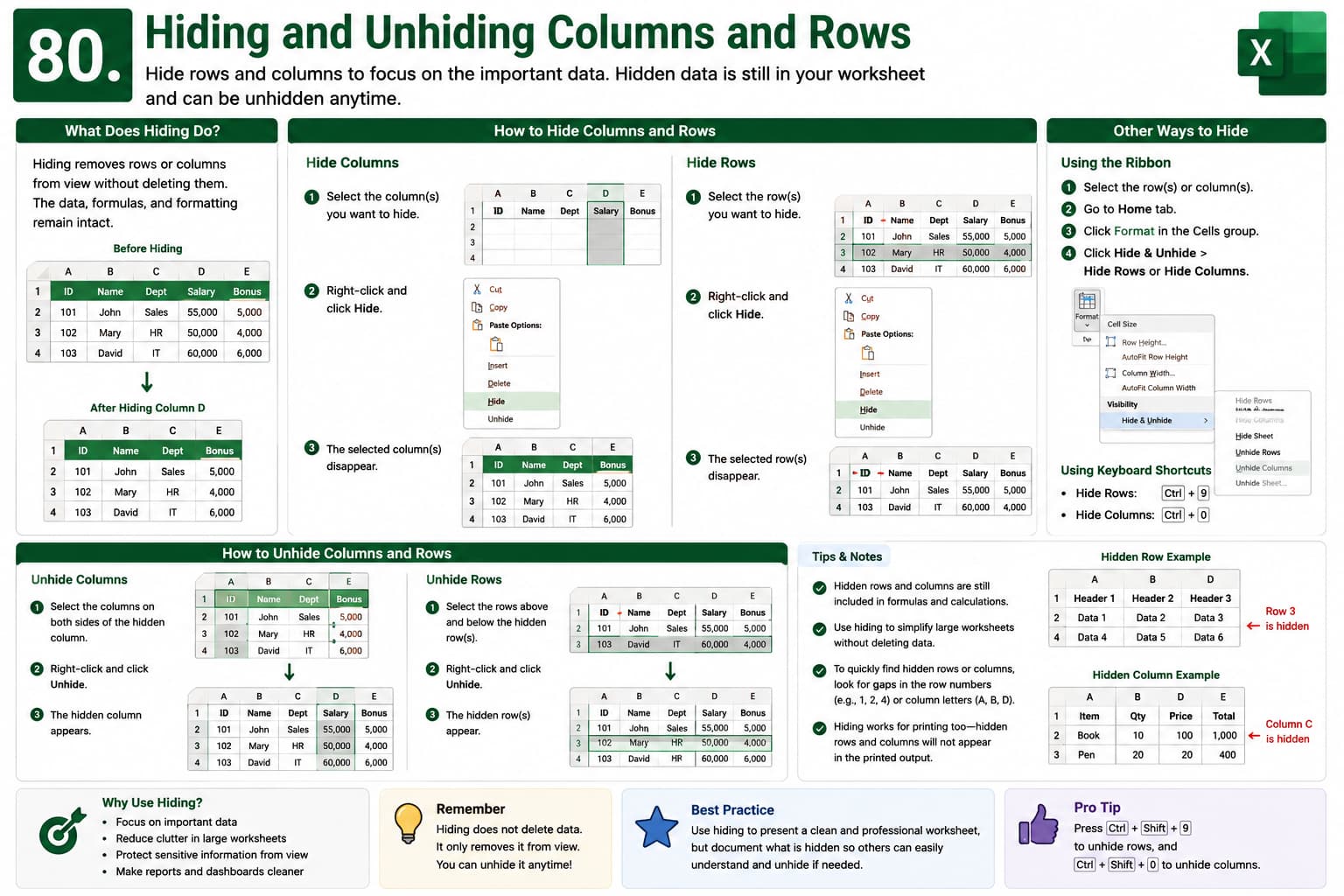
Chapter 80: Hiding and Unhiding Columns and Rows
Chapter Description
In this chapter, you’ll learn how to hide and unhide columns and rows in Microsoft Excel to organize your worksheets and focus on the data that matters most. Hiding rows and columns allows you to temporarily remove information from view without deleting it, making large spreadsheets easier to navigate and present.
You’ll explore different methods for hiding and unhiding rows and columns, including using the Ribbon, right-click menu, keyboard shortcuts, and the Name Box. You’ll also learn how to reveal hidden data quickly and troubleshoot situations where rows or columns appear to be missing.
This lesson is especially useful for managing reports, financial models, dashboards, and large datasets while maintaining a clean and organized worksheet.
What You’ll Learn
-
Understanding hidden rows and columns in Microsoft Excel
-
Hiding single or multiple rows and columns
-
Unhiding rows and columns quickly
-
Using the Ribbon, right-click menu, and keyboard shortcuts
-
Finding and revealing hidden data
-
Managing hidden rows and columns in large worksheets
-
Avoiding common mistakes when hiding worksheet data
-
Best practices for organizing Excel spreadsheets
Learning Outcome
By the end of this chapter, you’ll be able to confidently hide and unhide rows and columns in Microsoft Excel to improve worksheet organization and readability. You’ll efficiently manage large datasets, present clean reports, and quickly access hidden information whenever needed without affecting your data or formulas.

