Chapter 50: Controlling Most Print Settings in One Place
Chapter Description
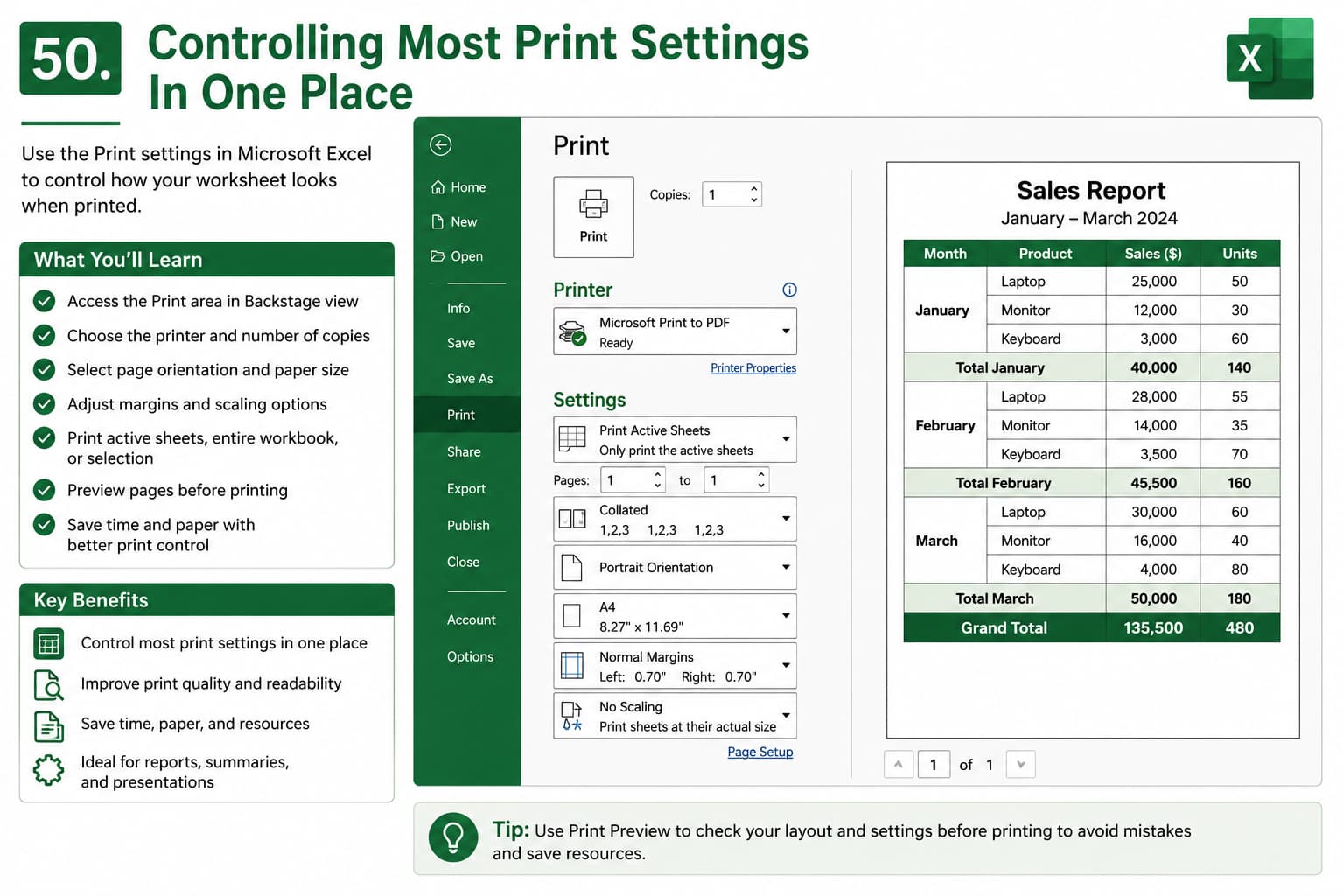
In this chapter, you’ll learn how to manage Microsoft Excel Print Settings from a single location using the Print page in Backstage View. Excel provides a centralized interface where you can configure page orientation, paper size, margins, scaling, print area, page selection, and printer options before printing your worksheet.
This feature helps ensure your spreadsheets are printed exactly as intended, reducing paper waste and improving the appearance of reports, invoices, financial statements, dashboards, and other business documents.
What You’ll Learn
-
Understanding Excel’s Print Settings window
-
Accessing the Print menu in Backstage View
-
Selecting a printer and number of copies
-
Choosing page orientation (Portrait or Landscape)
-
Setting paper size and print margins
-
Adjusting scaling options to fit data on a page
-
Printing active sheets, selected ranges, or entire workbooks
-
Using Print Preview to verify layout before printing
-
Best practices for professional Excel printing
Learning Outcome
By the end of this chapter, you’ll be able to confidently control most Microsoft Excel print settings from one place. You’ll know how to optimize page layout, adjust print options, preview your worksheets, and produce professional-quality printed documents while saving time, paper, and effort.

