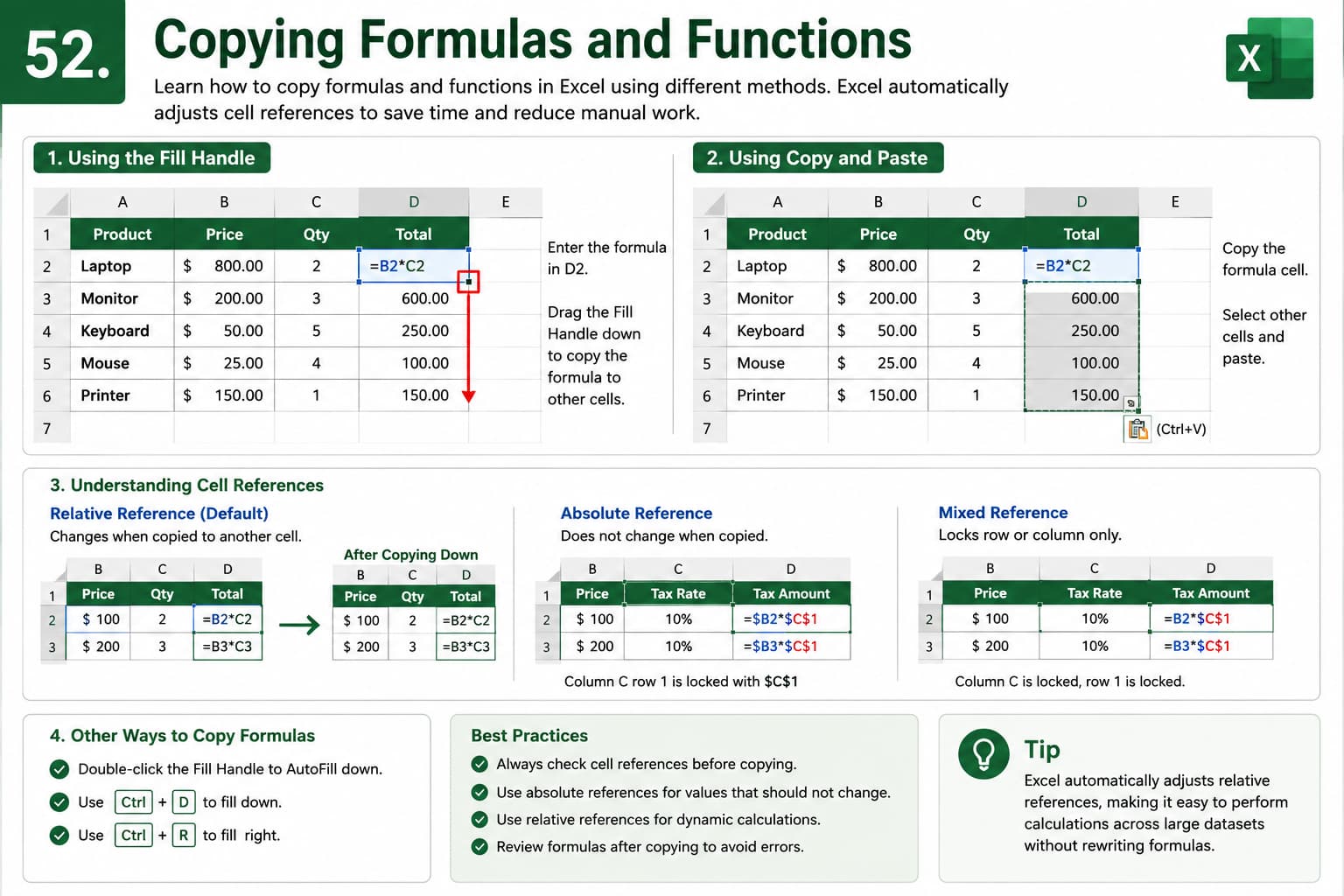
Chapter 52: Copying Formulas and Functions
Chapter Description
In this chapter, you’ll learn how to copy formulas and functions in Microsoft Excel efficiently while maintaining accurate calculations. Excel automatically adjusts relative cell references when formulas are copied, helping you perform repetitive calculations without rewriting formulas manually.
You’ll also explore different methods for copying formulas, including the Fill Handle, Copy and Paste, and AutoFill, along with techniques for using absolute and mixed cell references when needed.
This lesson is essential for anyone working with financial models, budgets, sales reports, inventory tracking, or any spreadsheet that requires repeated calculations.
What You’ll Learn
-
Understanding how Excel copies formulas and functions
-
Using the Fill Handle to copy formulas quickly
-
Copying formulas with Copy and Paste
-
Understanding relative, absolute, and mixed cell references
-
Preventing formula reference errors
-
Copying formulas across rows and columns
-
Using AutoFill for faster calculations
-
Best practices for accurate and efficient formula copying
Learning Outcome
By the end of this chapter, you’ll be able to confidently copy formulas and functions throughout your worksheets while maintaining accurate calculations. You’ll understand how Excel updates cell references, use the Fill Handle and AutoFill effectively, and build dynamic spreadsheets that save time and reduce manual work.

