

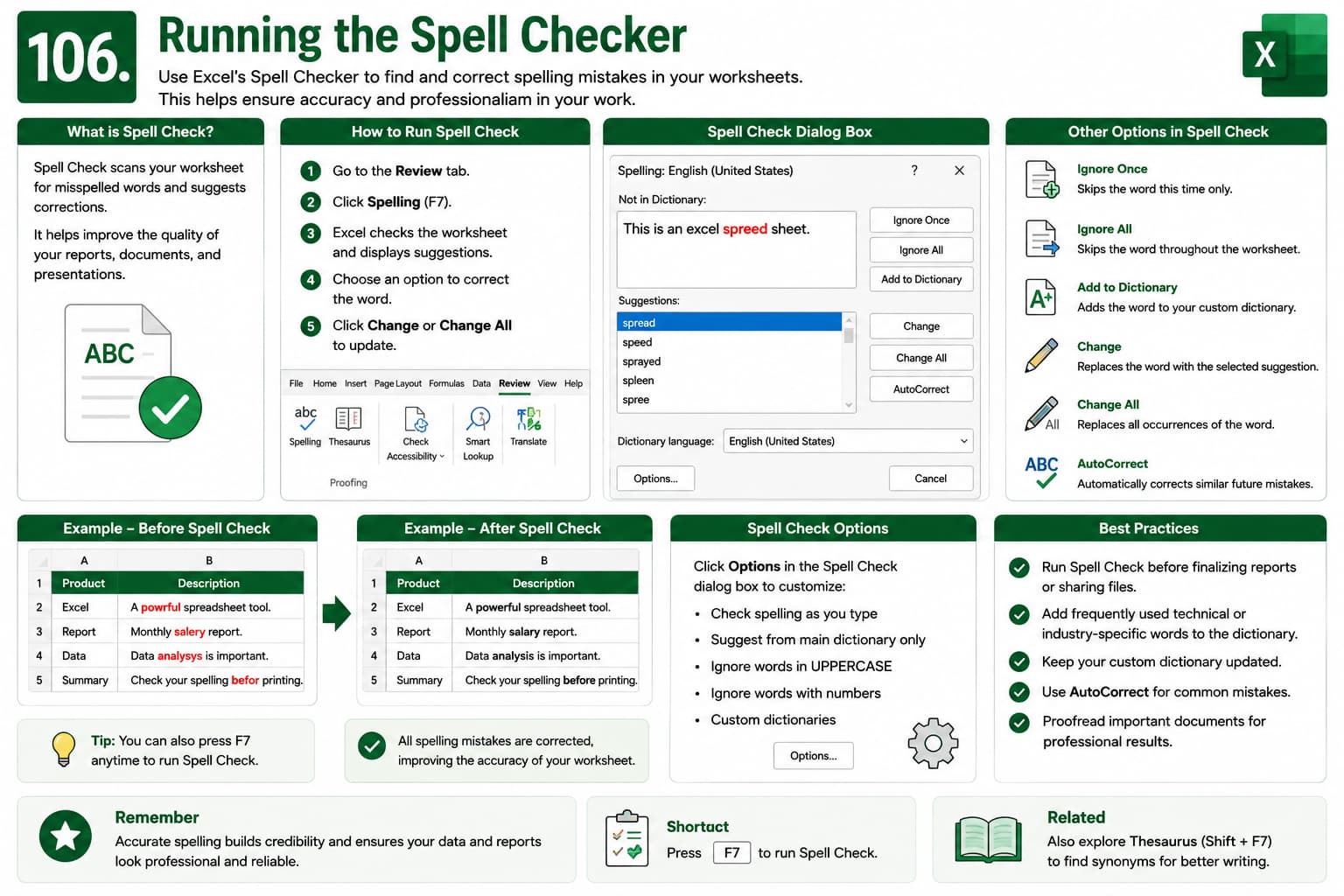
Chapter 106: Running the Spell Checker
Chapter Description
In this chapter, you’ll learn how to use Spell Check in Microsoft Excel to identify and correct spelling mistakes in worksheets. Excel’s built-in spell checker helps improve the accuracy and professionalism of reports, invoices, financial statements, and business documents.
What You’ll Learn
- Using Excel Spell Check
- Running Spell Check on worksheets
- Correcting spelling mistakes
- Ignoring or adding words to the dictionary
- Reviewing spelling suggestions
- Spell checking selected ranges
- Best practices for error-free worksheets
Learning Outcome
By the end of this chapter, you’ll be able to confidently use Excel’s Spell Checker to identify and correct spelling mistakes, ensuring your worksheets are accurate and professional.

