About Lesson
Chapter 53: Copying Formulas and Functions in Microsoft Excel
Chapter Description
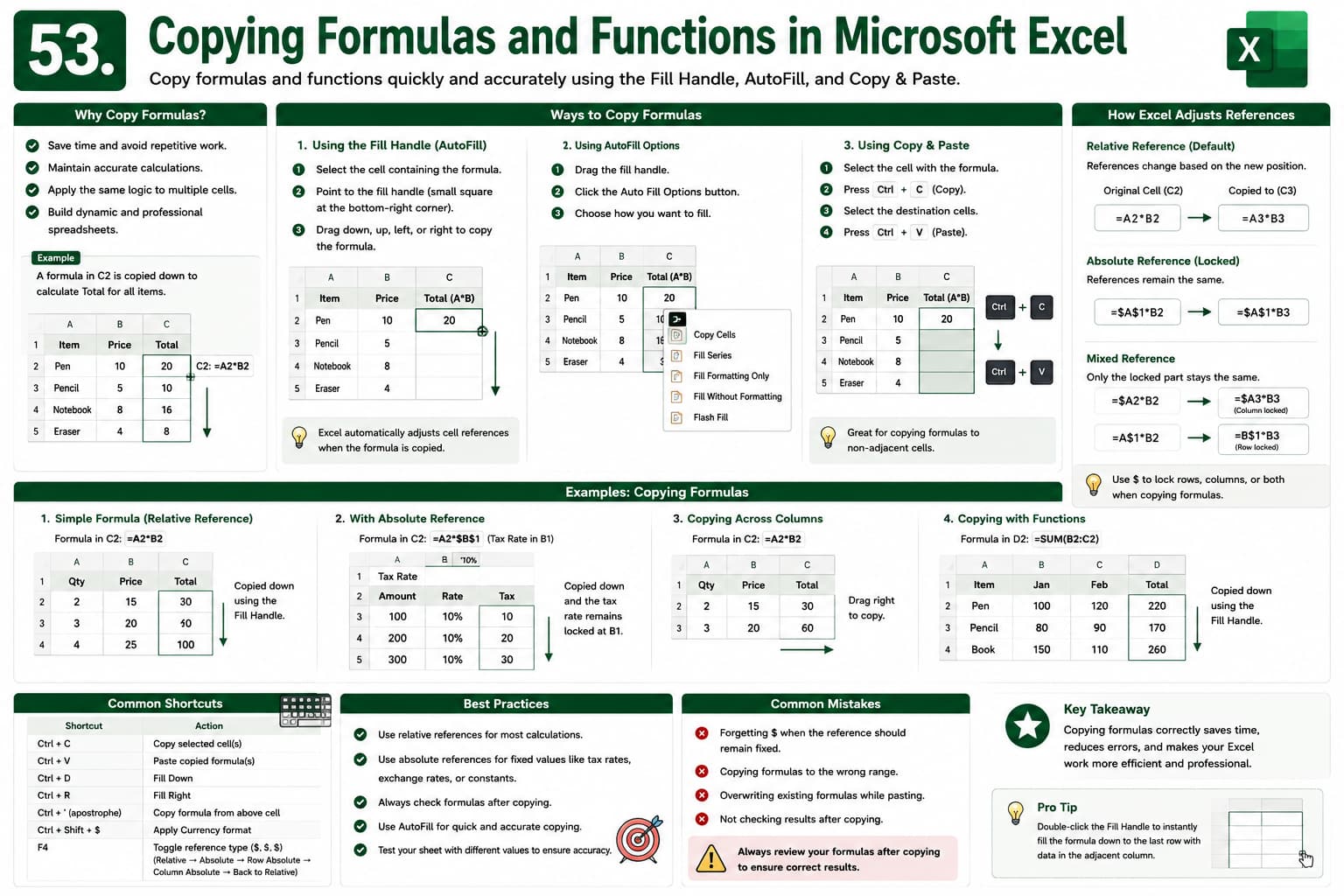
In this chapter, you’ll learn how to efficiently copy formulas and functions in Microsoft Excel using the Fill Handle, AutoFill, and Copy & Paste. You’ll discover how Excel automatically adjusts cell references and how to maintain accurate calculations when copying formulas across rows and columns.
This lesson is essential for creating dynamic spreadsheets and eliminating repetitive manual work.
What You’ll Learn
- Copying formulas with the Fill Handle
- Using AutoFill
- Copy and Paste formulas
- Relative and absolute references
- Copying formulas across rows and columns
- Preventing formula errors
- Improving spreadsheet efficiency
- Best practices for formula management
Learning Outcome
By the end of this chapter, you’ll be able to confidently copy formulas and functions while maintaining accurate calculations and creating efficient Excel worksheets.

