

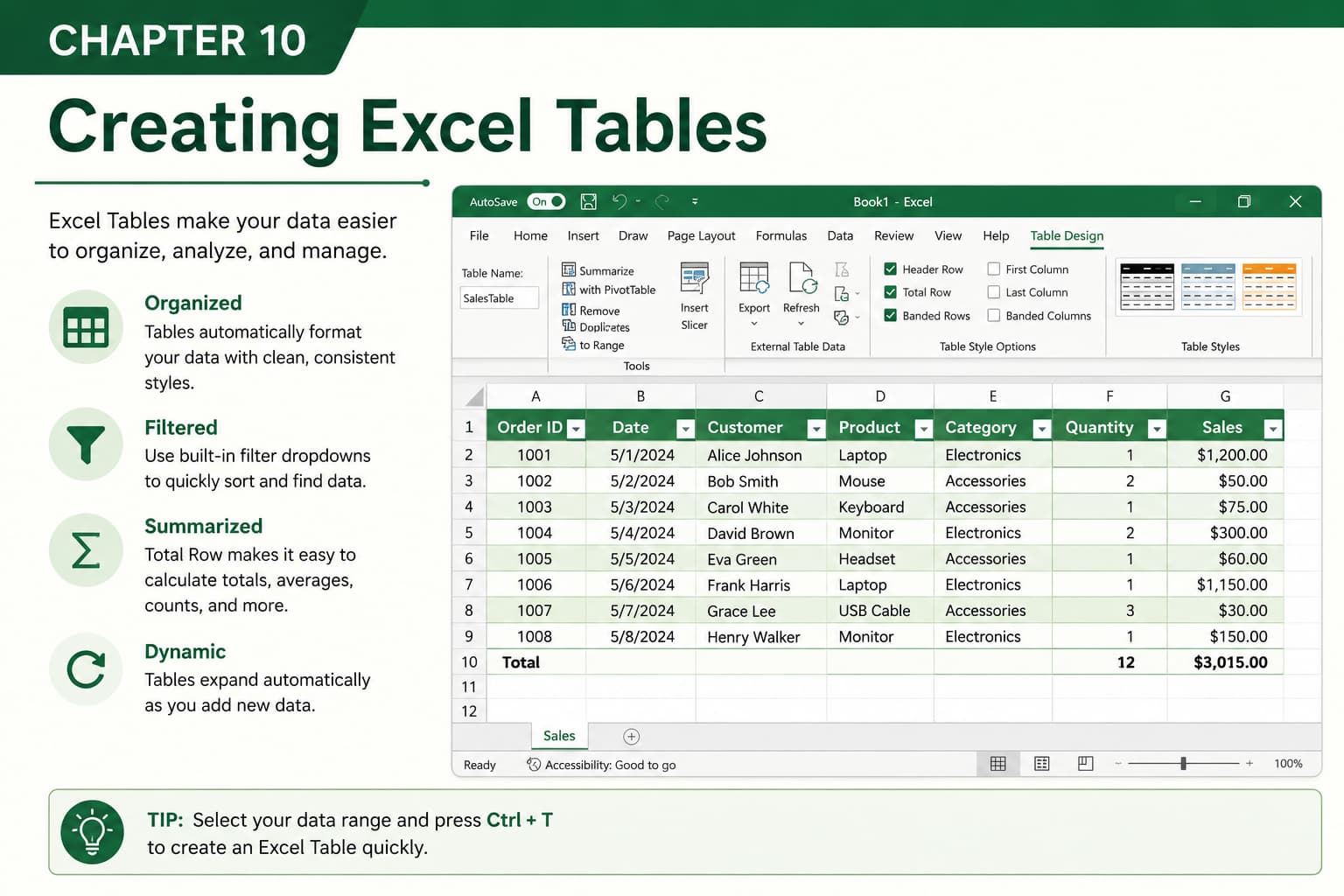
Chapter 10: Creating Excel Tables
Chapter Description
In this chapter, you’ll learn how to create and use Excel Tables to organize, analyze, and manage data more efficiently. Excel Tables automatically apply professional formatting, enable built-in filtering and sorting, and expand dynamically as new data is added.
You’ll discover how to convert a range of data into a table, customize table styles, use structured references in formulas, and take advantage of powerful table features that simplify data management. Excel Tables are especially useful for financial reports, sales records, employee databases, inventory management, and dashboards.
This lesson is essential for anyone who wants to work with structured data and improve productivity in Microsoft Excel.
What You’ll Learn
- Understanding Excel Tables and their benefits
- Creating a table from a data range
- Applying and customizing table styles
- Using built-in sorting and filtering
- Working with structured references in formulas
- Adding and removing table rows and columns
- Converting tables back to normal ranges
- Best practices for managing Excel Tables
Learning Outcome
By the end of this chapter, you’ll be able to confidently create and manage Excel Tables in Microsoft Excel. You’ll organize data more effectively, simplify analysis, automate common tasks, and build professional spreadsheets that are easier to maintain and update.

