

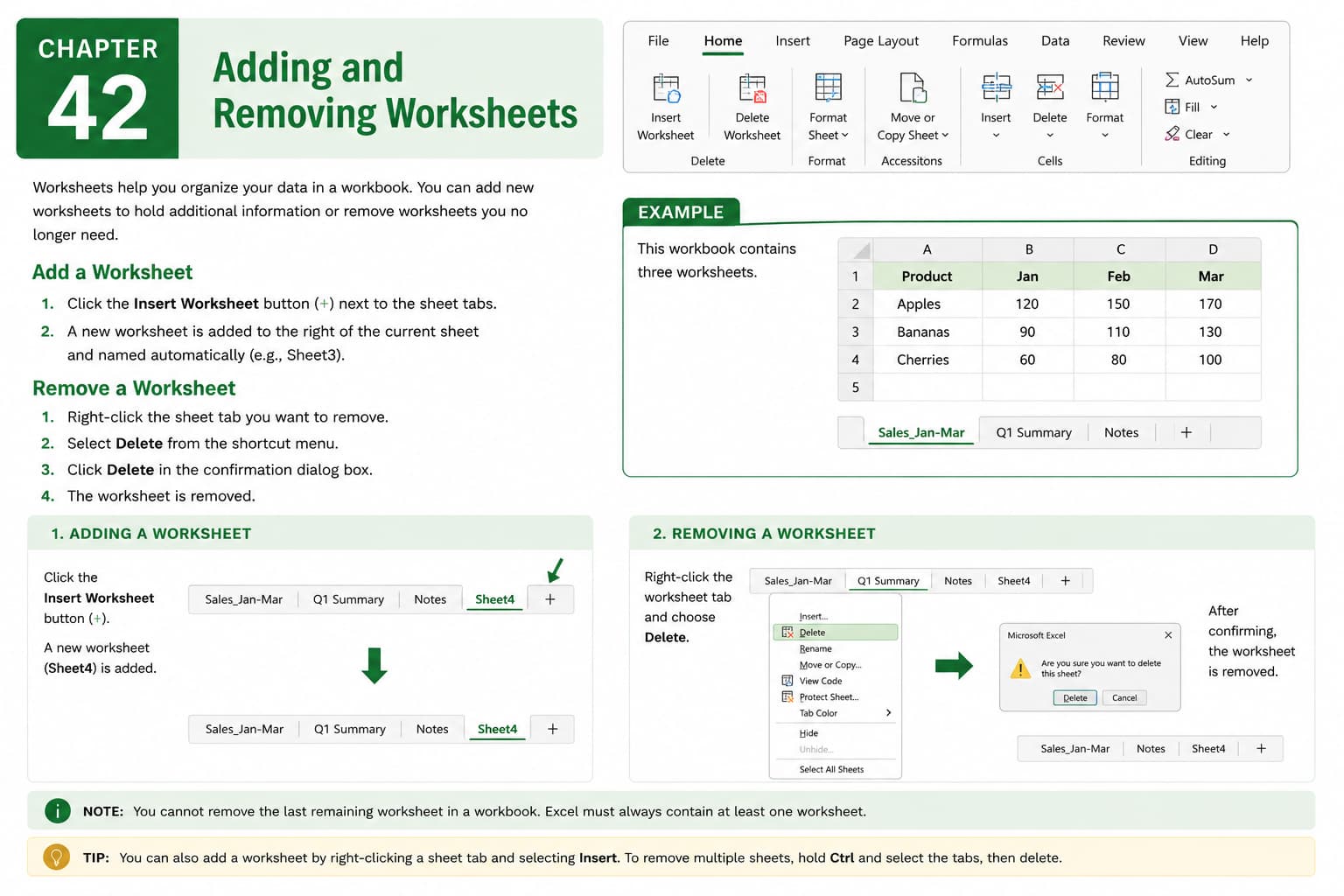
Chapter 42: Adding and Removing Worksheets
Chapter Description
In this chapter, you’ll learn how to add and remove worksheets in Microsoft Excel to better organize and manage your workbooks. Worksheets allow you to separate different types of data within the same workbook, making it easier to maintain structured and efficient spreadsheets.
You’ll explore multiple methods for inserting new worksheets, deleting unnecessary ones, and understanding how worksheet management improves productivity. You’ll also learn precautions to take before deleting worksheets to prevent accidental loss of important data.
This lesson is especially useful for organizing budgets, sales reports, employee records, project plans, inventory lists, and other multi-sheet workbooks.
What You’ll Learn
- Understanding worksheets in Microsoft Excel
- Adding new worksheets to a workbook
- Removing unwanted worksheets
- Using shortcut methods to insert and delete worksheets
- Managing multiple worksheets efficiently
- Avoiding accidental data loss when deleting worksheets
- Organizing workbook content using separate worksheets
- Best practices for worksheet management
Learning Outcome
By the end of this chapter, you’ll be able to confidently add and remove worksheets in Microsoft Excel, organize data across multiple sheets, and manage workbooks more efficiently while maintaining a clean and well-structured spreadsheet.

