

Chapter 68: Entering Numbers as Text
Chapter Description
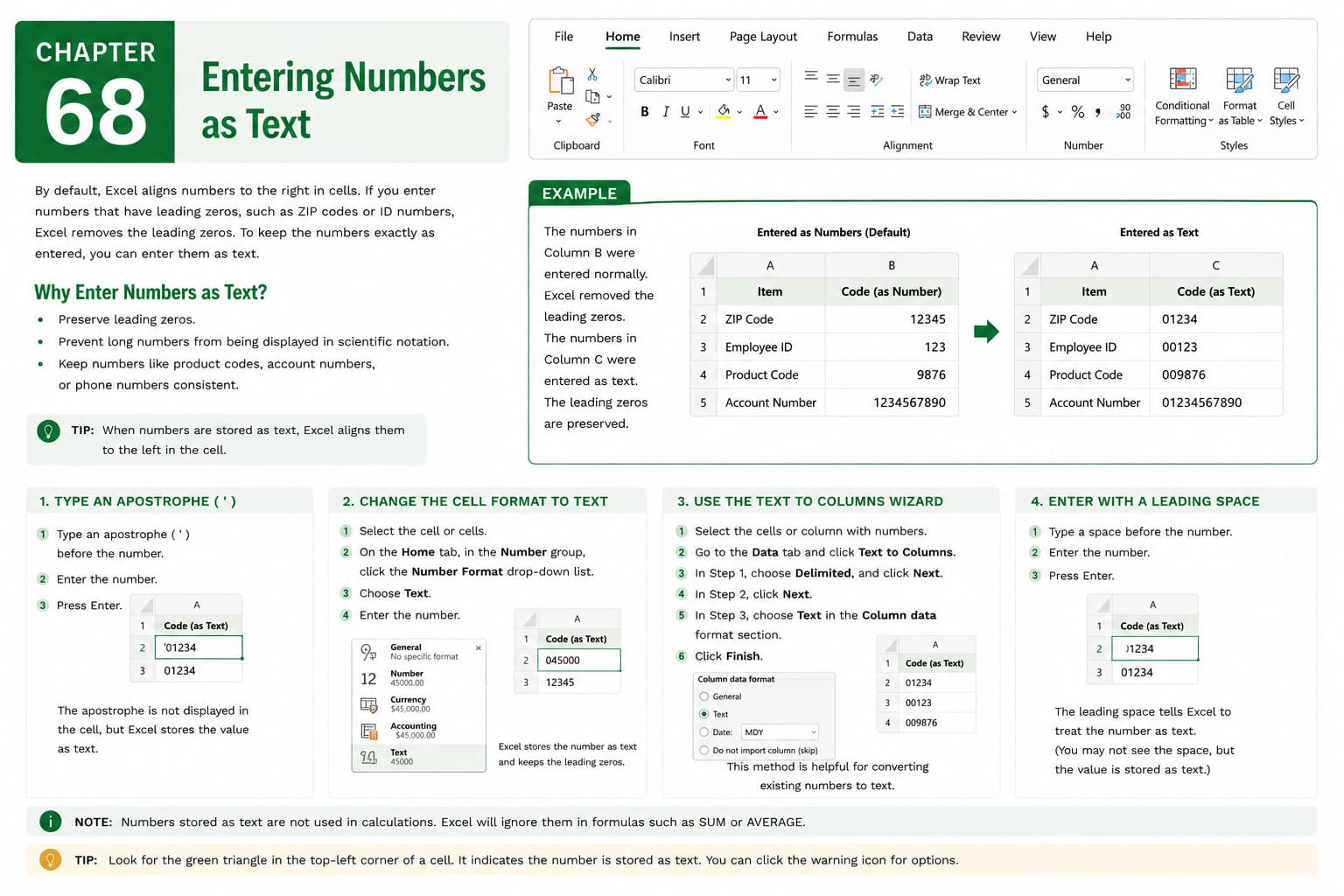
In this chapter, you’ll learn how to enter numbers as text in Microsoft Excel to preserve their original format and prevent automatic numerical conversion. This is especially important when working with values such as ZIP codes, phone numbers, product codes, employee IDs, invoice numbers, or account numbers that should not be treated as numerical data.
You’ll explore different methods for entering numbers as text, including formatting cells as Text, using an apostrophe before the number, and importing data correctly. You’ll also learn how to identify numbers stored as text, understand when this format is appropriate, and avoid common data entry issues.
This lesson is especially useful for managing identification numbers, codes, serial numbers, contact information, and other data where leading zeros or exact formatting must be preserved.
What You’ll Learn
- Understanding the difference between numbers and text in Microsoft Excel
- Entering numbers as text
- Formatting cells as Text before data entry
- Using an apostrophe to store numbers as text
- Preserving leading zeros in values
- Identifying numbers stored as text
- Avoiding automatic number conversion
- Best practices for entering text-based numeric data
Learning Outcome
By the end of this chapter, you’ll be able to confidently enter and manage numbers as text in Microsoft Excel, ensuring important values retain their original formatting and preventing unwanted changes caused by automatic number conversion. This will help you maintain accurate and reliable data in your worksheets.

