

Chapter 70: Filtering Data in Microsoft Excel
Chapter Description
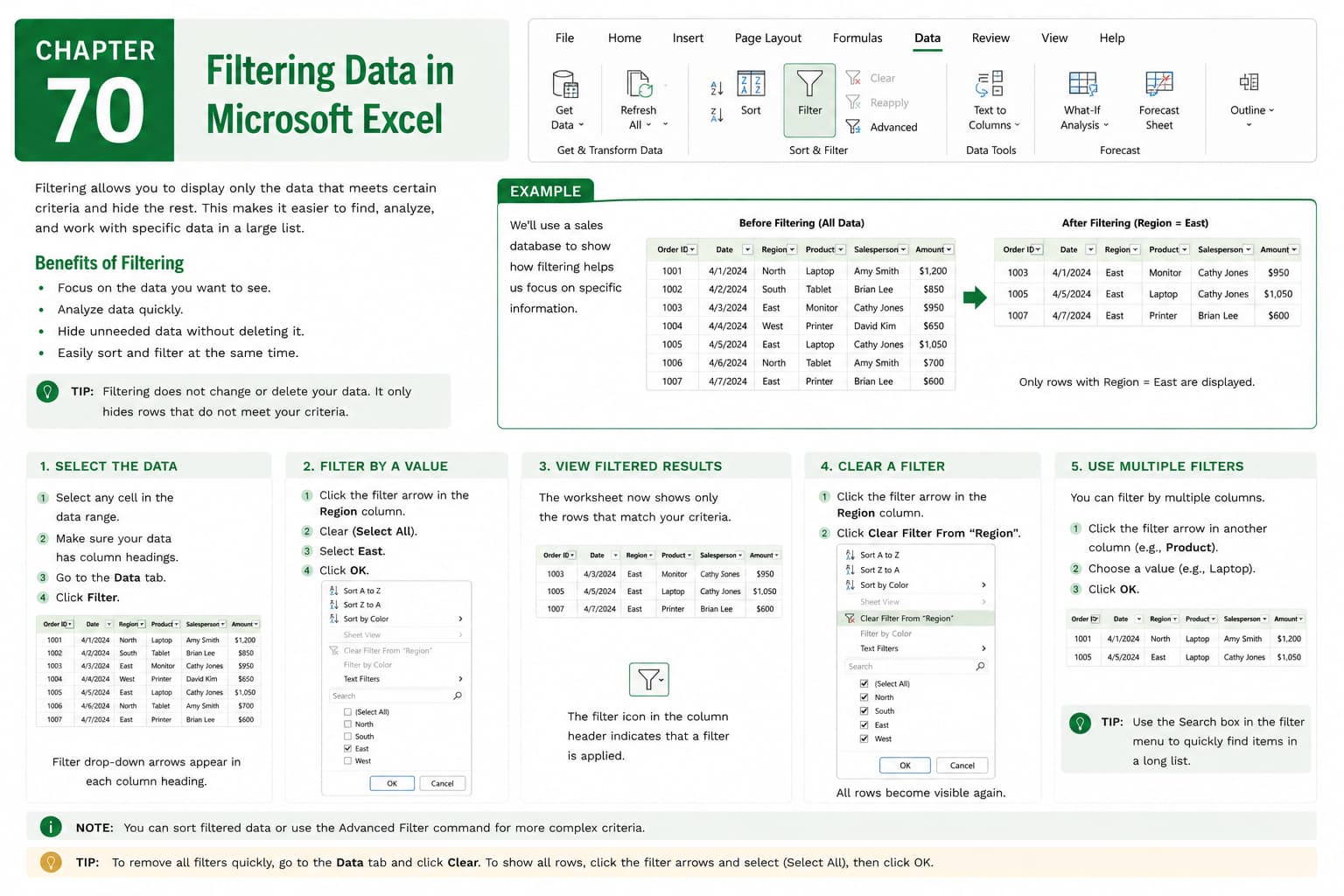
In this chapter, you’ll learn how to filter data in Microsoft Excel to quickly display only the information you need while temporarily hiding the rest. Filtering is a powerful feature that helps you analyze large datasets, locate specific records, and focus on relevant information without changing or deleting the original data.
You’ll explore how to apply AutoFilter, filter by text, numbers, dates, colors, and custom criteria, use multiple filters simultaneously, and clear or reapply filters as needed. You’ll also learn how filtering can improve data analysis, reporting, and decision-making.
This lesson is especially useful for managing customer databases, sales reports, employee records, inventory lists, financial statements, and project tracking worksheets.
What You’ll Learn
- Understanding data filtering in Microsoft Excel
- Applying AutoFilter to a data range
- Filtering data by text, numbers, and dates
- Using color and custom filters
- Applying multiple filters to refine results
- Clearing and reapplying filters
- Working with filtered data effectively
- Best practices for organizing and analyzing filtered datasets
Learning Outcome
By the end of this chapter, you’ll be able to confidently filter data in Microsoft Excel to locate specific information, analyze large datasets efficiently, and create more focused, accurate, and meaningful reports for business and personal use.

