

Chapter 81: Hiding and Unhiding Worksheets
Chapter Description
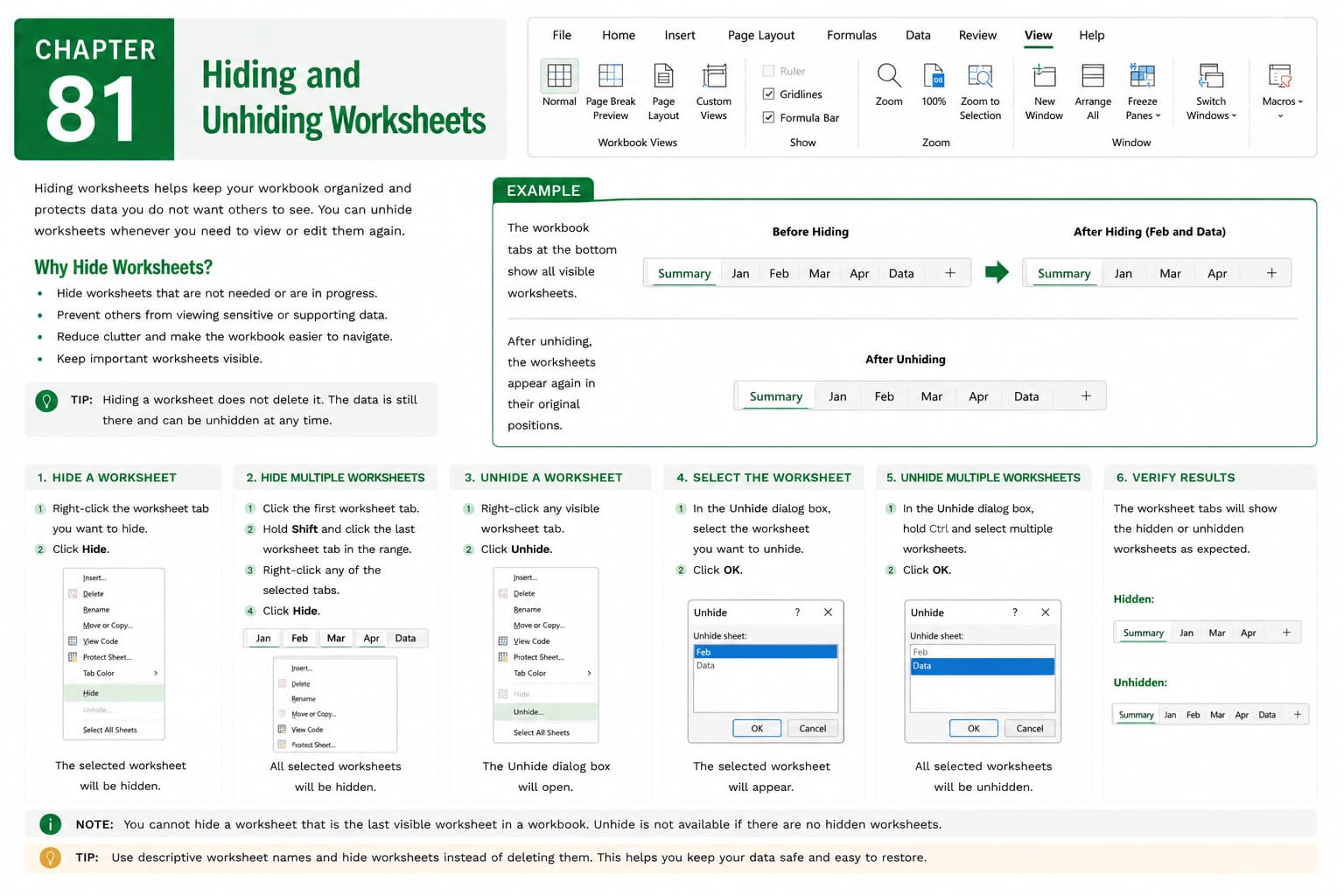
In this chapter, you’ll learn how to hide and unhide worksheets in Microsoft Excel to keep your workbooks organized and protect non-essential or supporting information from view. Hiding worksheets allows you to simplify navigation by displaying only the sheets that users need while keeping other worksheets available within the workbook.
You’ll explore different methods for hiding and unhiding worksheets, managing multiple hidden sheets, understanding the difference between hidden and very hidden worksheets, and learning when to use worksheet hiding as part of workbook organization. You’ll also discover best practices for maintaining clear and user-friendly workbooks.
This lesson is especially useful for organizing financial models, dashboards, templates, data entry forms, calculation sheets, and reports that contain supporting or confidential information.
What You’ll Learn
- Understanding hidden worksheets in Microsoft Excel
- Hiding individual worksheets
- Unhiding hidden worksheets
- Managing multiple hidden worksheets
- Understanding the difference between Hidden and Very Hidden worksheets
- Organizing workbooks using hidden sheets
- Avoiding accidental deletion or modification of hidden data
- Best practices for worksheet visibility management
Learning Outcome
By the end of this chapter, you’ll be able to confidently hide and unhide worksheets in Microsoft Excel, keeping your workbooks organized, easy to navigate, and more professional while ensuring supporting information remains available when needed.

