

Chapter 82: Inserting and Deleting Cells, Rows, and Columns
Chapter Description
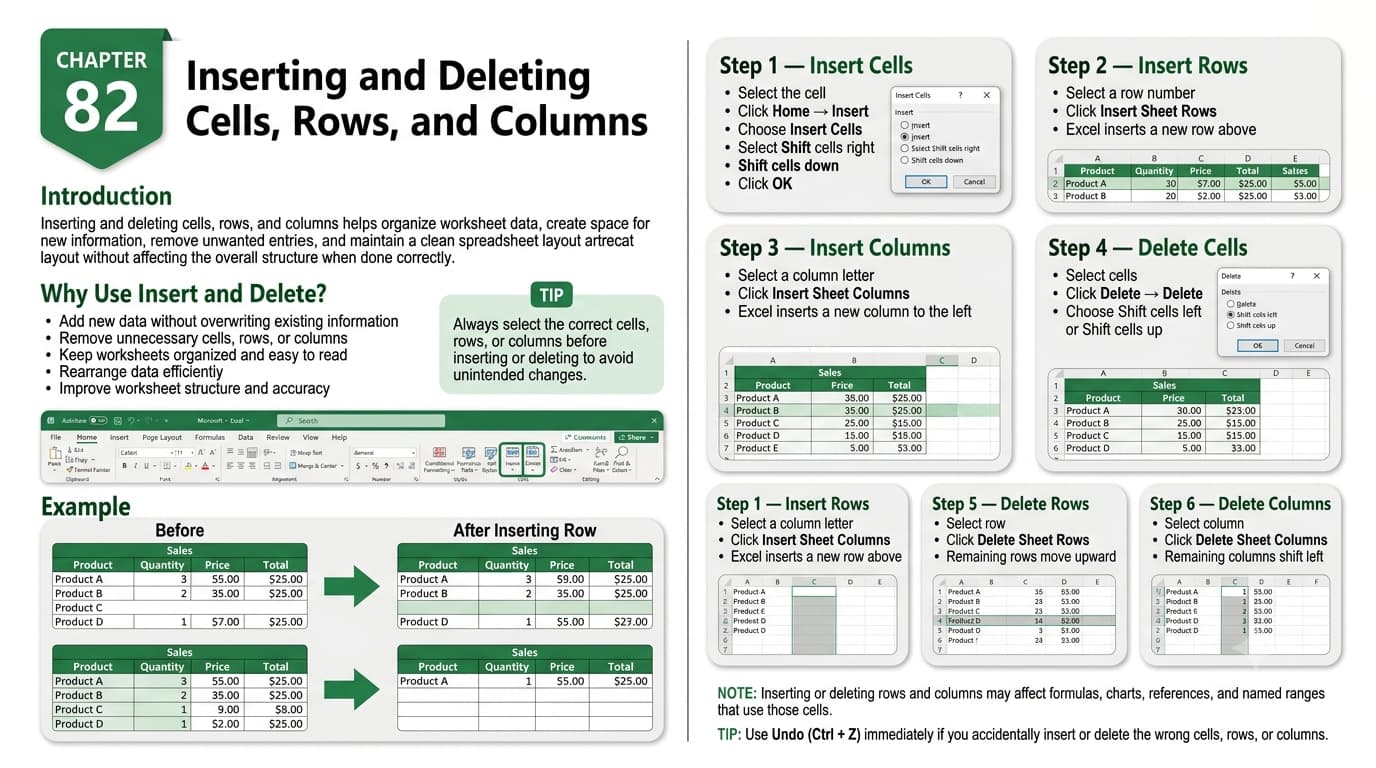
In this chapter, you’ll learn how to insert and delete cells, rows, and columns in Microsoft Excel to modify and organize worksheet data efficiently. These essential editing features allow you to add new information, remove unnecessary data, and maintain a well-structured spreadsheet without disrupting existing content.
You’ll explore different methods for inserting and deleting cells, entire rows, and columns, understand how Excel shifts surrounding data, and learn how to preserve formulas and formatting during these operations. You’ll also discover keyboard shortcuts and best practices for making structural changes to your worksheets safely.
This lesson is especially useful for updating budgets, managing inventory, revising reports, maintaining employee records, organizing customer databases, and editing large datasets.
What You’ll Learn
-
Understanding cells, rows, and columns in Microsoft Excel
-
Inserting individual cells and cell ranges
-
Adding entire rows and columns
-
Deleting cells, rows, and columns
-
Understanding how data shifts after insertion or deletion
-
Preserving formulas and formatting
-
Using keyboard shortcuts for faster editing
-
Best practices for modifying worksheet structure
Learning Outcome
By the end of this chapter, you’ll be able to confidently insert and delete cells, rows, and columns in Microsoft Excel, allowing you to update, reorganize, and maintain worksheets efficiently while preserving data accuracy and worksheet integrity.

